Ratomilton Red Light Green Light

Ratomilton Red Light Green Light

4,117

Dive into the exciting adventure of Ratomilton Red Light Green Light, where action, timing, and quick reflexes meet in an exhilarating challenge. As Rato Milton, your mission is to navigate through obstacles and reach the finish line without being spotted by the vigilant squid game enemy. This modern twist on the beloved childhood game demands that you hone your skills in controlled movements and impeccable timing. The gameplay is straightforward yet deeply engaging: use the mouse to control Rato's movements, pressing down to move forward when it's safe. The enemy will periodically call out "Red Light" and "Green Light," signaling when to stop or go. Your success hinges on your ability to react swiftly and accurately to these cues, ensuring that you stay one step ahead of the enemy and complete your journey to victory.

Recommended Games

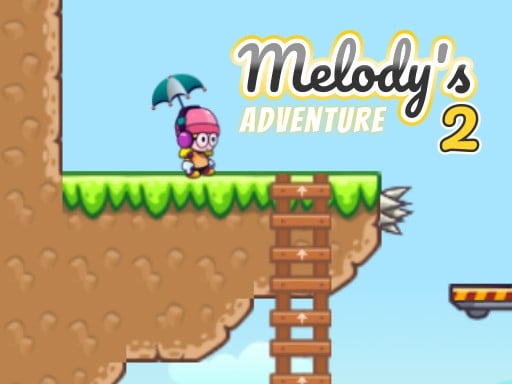
Melodys Adventure 2
★ 4.7

Melodys Adventure 2

Navigate using arrow keys for left, right, up, down movements or utilize W for up, A for left, D for right controls.
5,749
Spider Jump
★ 4.8

Spider Jump

Click or tap the screen to interact and progress through the game. Use these inputs to respond to in-game prompts and solve challenges.
6,161
Leader Follow
★ 4.3

Leader Follow

Click or tap the screen to interact and play
4,498
Halloween crosswords HTML5
★ 4.3

Halloween crosswords HTML5

Click or tap on the screen to interact and play.
7,953
Grimace Monster Dop Story
★ 4.1

Grimace Monster Dop Story

Click or tap on the screen to interact with the game elements. Use these inputs to progress through levels or achieve objectives as directed by the in-game instructions.
5,571
SnowBall Adventure
★ 4.3

SnowBall Adventure

Use the right arrow key to advance your character forward in the game. Press the left arrow key to move your character backward. Tap the spacebar to make your character jump, allowing you to clear obstacles or reach higher platforms.
3,874
Runner Slapper
★ 4.9

Runner Slapper

Click or tap the screen to interact and progress through the game. Use these inputs to trigger actions, solve puzzles, and navigate challenges.
4,305
Avoid the Sharks
★ 4.4

Avoid the Sharks

In this game, control your swimmer by touching the screen to move left or right, avoiding approaching sharks. On desktops, utilize the mouse to direct your swimmer's movements, swiftly shifting left and right to dodge the hungry sharks.
5,760
Financial Run
★ 4.5

Financial Run

Click or tap on the screen to interact and play.
5,548
Dungeon Adventures
★ 4.0

Dungeon Adventures

W - Jump higher or double jump A - Move Left to dodge obstacles or reach lower platforms D - Move Right to explore or collect items Double Jump Active allows you to leap over gaps or avoid dangers twice in quick succession
6,662
MultiplArrow
★ 4.3

MultiplArrow

Click or tap the screen to interact and progress in the game.
4,392
Free Fly
★ 4.7

Free Fly

Tap the screen to make the bee soar upwards. Avoid clouds and obstacles by skillfully navigating. Collect honeycombs to boost your score. Stay aloft for as long as possible while gathering honeycombs for high scores.
7,394
Shark Dominance io
★ 4.6

Shark Dominance io

PC players control movement using the mouse for speed and the 'D' key for direction. On mobile, touch controls are used for both speed and directional movement with a secondary touch for additional actions.
5,413
Skate Boy
★ 4.8

Skate Boy

Click or tap on the screen to interact and play.
6,385
FLEET BLAST
★ 4.7

FLEET BLAST

Use MOUSE for Controls Drag fleets with the mouse and place them on the board. Click on grid positions to blast fleets.
4,017
Count Master: Crowd Runner 3D
★ 4.1

Count Master: Crowd Runner 3D

Click or tap on the screen to interact with the game elements. Use these inputs to progress through levels or complete objectives as directed.
6,957
Catch Him
★ 4.8

Catch Him

Click or tap the screen to interact and progress through the game. Use these inputs to trigger events, select options, and control actions within the game environment.
7,641
Friends Battle Swords Drawn
★ 4.1

Friends Battle Swords Drawn

The red team uses WASD keys to move, while the blue team navigates with arrow keys. Both teams aim to secure their flag for 20 seconds. Players can eliminate opponents by pressing 'S' or the 'DOWN ARROW'.
7,122
Skyblock Parkour Easy Obby
★ 4.9

Skyblock Parkour Easy Obby

Navigate using arrow keys for the Obby character and WASD for the Girl Friend in both mobile and desktop versions for smooth playability across devices.
3,793